
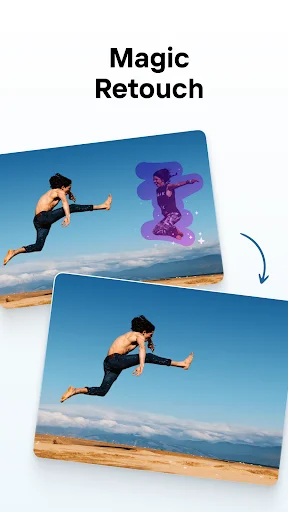

How can you turn your smartphone into a powerful design studio? With PhotoRoom, users can effortlessly edit images, remove backgrounds, add text or logos, apply filters, and choose from over 1,000 professional background templates. Whether you're a small business owner, online seller, or creative professional, this app streamlines the creation of high-quality visual content.
What's Inside PhotoRoom?
PhotoRoom is a comprehensive photo editing application designed for Android devices that combines advanced editing tools with ready-to-use templates. The app supports a wide range of use cases including e-commerce product photography, portrait creation, official document imaging, social media content generation, and digital marketing material development. Its intuitive interface allows both beginners and professionals to produce polished visuals without requiring desktop software.
How to Use PhotoRoom
Background Editing & Removal
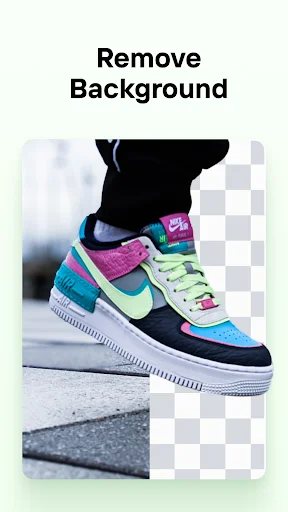
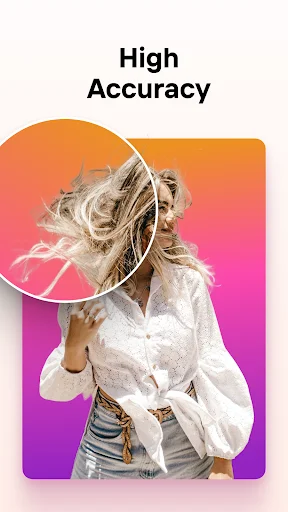
Utilize the precise background eraser tool to isolate subjects from their surroundings. Users can replace complex backgrounds with solid colors, blurred effects, or custom images. This feature is particularly useful for creating clean product shots or professional portraits.
Template-Based Design Creation
Access more than 1,000 professionally designed templates tailored for various platforms including Poshmark, Shopify, eBay, Etsy, Facebook Marketplace, Depop, YouTube, Instagram, and Pinterest. Simply upload your image, select a template, and customize elements to match your brand identity.
Advanced Photo Enhancement Tools
Enhance image quality through built-in adjustment controls for brightness, contrast, saturation, and sharpness. Apply artistic filters, insert motivational quotes, overlay graphics, and integrate personal branding elements such as logos (available with PRO subscription).
Key Features
- Professional-grade background removal technology
- Extensive library of customizable templates and backdrops
- Multi-layer editing capabilities with text and sticker integration
- High-resolution export options for web and print usage
- Direct sharing to major social networks and marketplace platforms
- Batch processing mode for efficient bulk image handling
- Smart cropping and resizing functions optimized for different formats
- Seasonal and event-based content templates for timely campaigns
- Collage maker for combining multiple images creatively
- Sticker creation utility compatible with external applications
Download PhotoRoom today to unlock powerful mobile photo editing capabilities. Available on Google Play for Android devices, this essential APK offers everything needed to create compelling visual content anywhere, anytime.