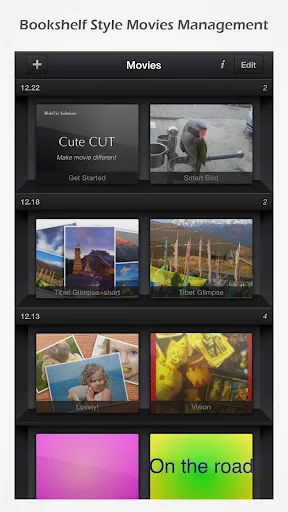
What makes video editing both intuitive and powerful for Android users? Cute CUT delivers a streamlined experience for creating dynamic movies with advanced customization options.
What's Inside Cute CUT?
Cute CUT is a comprehensive video editing application designed for Android devices. It enables users to combine multiple media types—video clips, photos, self-drawn artwork, text, music, and voice recordings—into professionally edited movies. Whether for personal storytelling, social sharing, or creative expression, Cute CUT offers versatile tools to craft visually engaging content. Its sleek interface and robust functionality support various resolutions and aspect ratios, making it adaptable for any project.
How to Use Cute CUT
Drag-and-Drop Editing
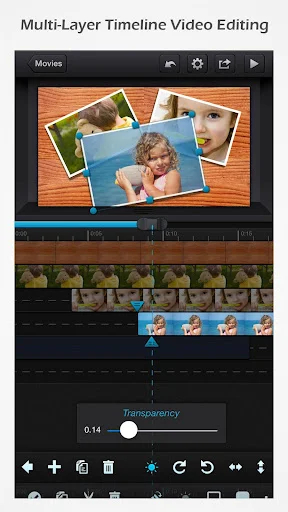
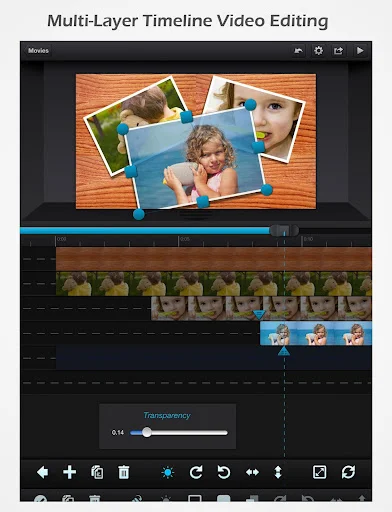
Arrange your media segments effortlessly using the intuitive drag-and-drop interface. This allows for seamless organization and rearrangement of clips within your timeline.
Multi-Layer Composition
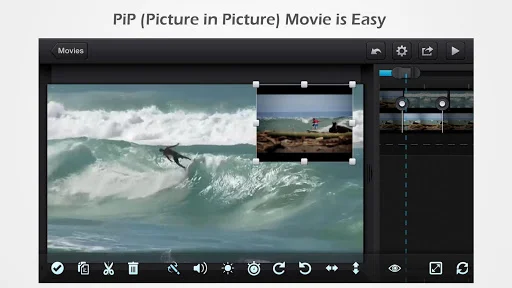
Create complex scenes such as Picture-in-Picture (PIP) effects by simply placing one clip over another. Each layer can be independently resized and adjusted for precise control.
Drawing & Annotation Tools
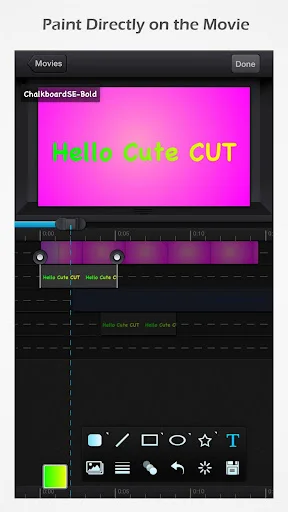
Bring creativity to life with over 30 drawing tools, including three advanced brushes—Texture, Linear Gradient, and Radial Gradient. Users can draw directly onto their videos for added visual flair.
Key Features
- User-friendly interface supporting both portrait and landscape orientations
- Combine up to six different media types simultaneously in one project
- Support for HD (16:9), SD (4:3), square (1:1), and portrait aspect ratios
- Easy creation of Picture-in-Picture (PIP) compositions
- Over 20 pre-defined customizable transitions
- Adjustable transparency, borders, shadows, transformations, and audio volume
- Export finished videos to camera roll or share directly to YouTube, Facebook, email
- Built-in tutorials and full video walkthroughs for guided learning
- Upgrade to Pro version for watermark-free exports and unlimited movie duration
Ready to elevate your mobile video editing experience? Download Cute CUT APK today from Google Play or visit apk.odinwan.com for more details.